Roles and Permissions
Tenant Workspace Roles (Owner, Admin, Member, Guest)
Role |
Who Assigns It |
|---|---|
Owner |
Auto-assigned on project creation, or via ownership transfer |
Admin |
Owner only can assign |
Member |
Owner or Admin can assign |
Guest |
Owner or Admin can assign |
End-to-end journey (Owner, with role differences called out inline):
Register and onboard — same for every role; whoever creates the tenant becomes its Owner.
Create a project (
/projects→ Create Project) — Owner and Admin can create projects; a Member or Guest can only be added to an existing one.Invite collaborators —
Caller
Can invite as Admin?
Can invite as Member?
Can invite as Guest?
Owner
Yes
Yes
Yes
Admin
No (an Admin cannot create another Admin)
Yes
Yes
Member / Guest
No
No
No
Manage the research setup journey (PICO, study design, conference) — Edit is available only to Owner/Admin; Members and Guests can Review but not Edit.
Change project status, edit project details, or delete the project — Owner/Admin only; for a Member or Guest, the Edit Project and Delete Project buttons render but are disabled with an explanatory tooltip.
Remove a collaborator —
Caller
Can remove Owner?
Can remove Admin?
Can remove Member?
Can remove Guest?
Owner
No (protected)
Yes
Yes
Yes
Admin
No
No
Yes
Yes
Member / Guest
No
No
No
No
Manage tasks via My Tasks (List, Board, Timeline, and Calendar views) — a Guest cannot create sections or tasks.
View collaborators, activity, and the leaderboard — available to all four roles.
Availability — any member can set their own weekly availability; it auto-syncs to the browser’s current timezone by design.
Owner’s project view (baseline for comparison)
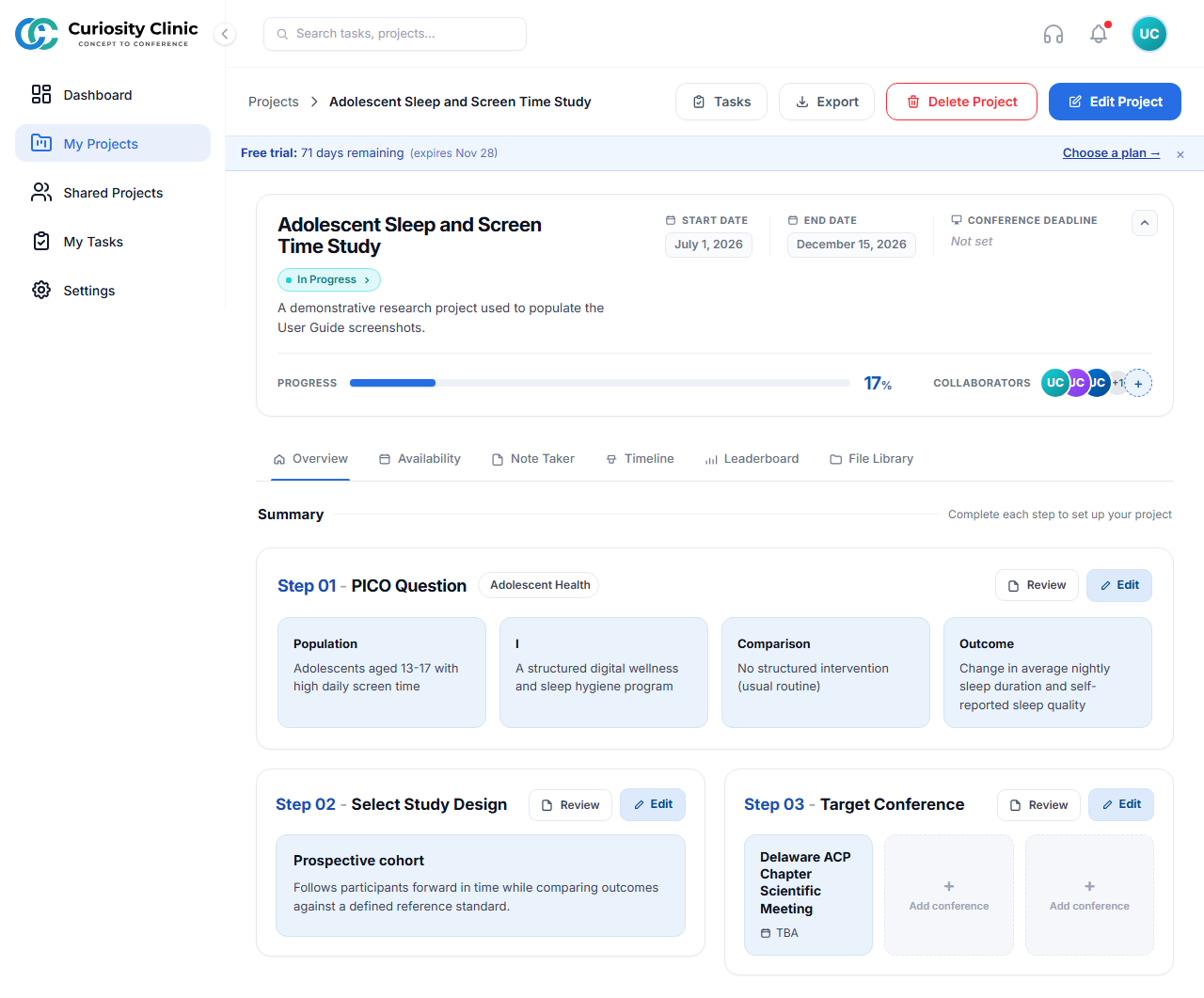 As Owner: “Delete Project” and “Edit Project” render as normal, enabled actions in the header.
Guest’s project view
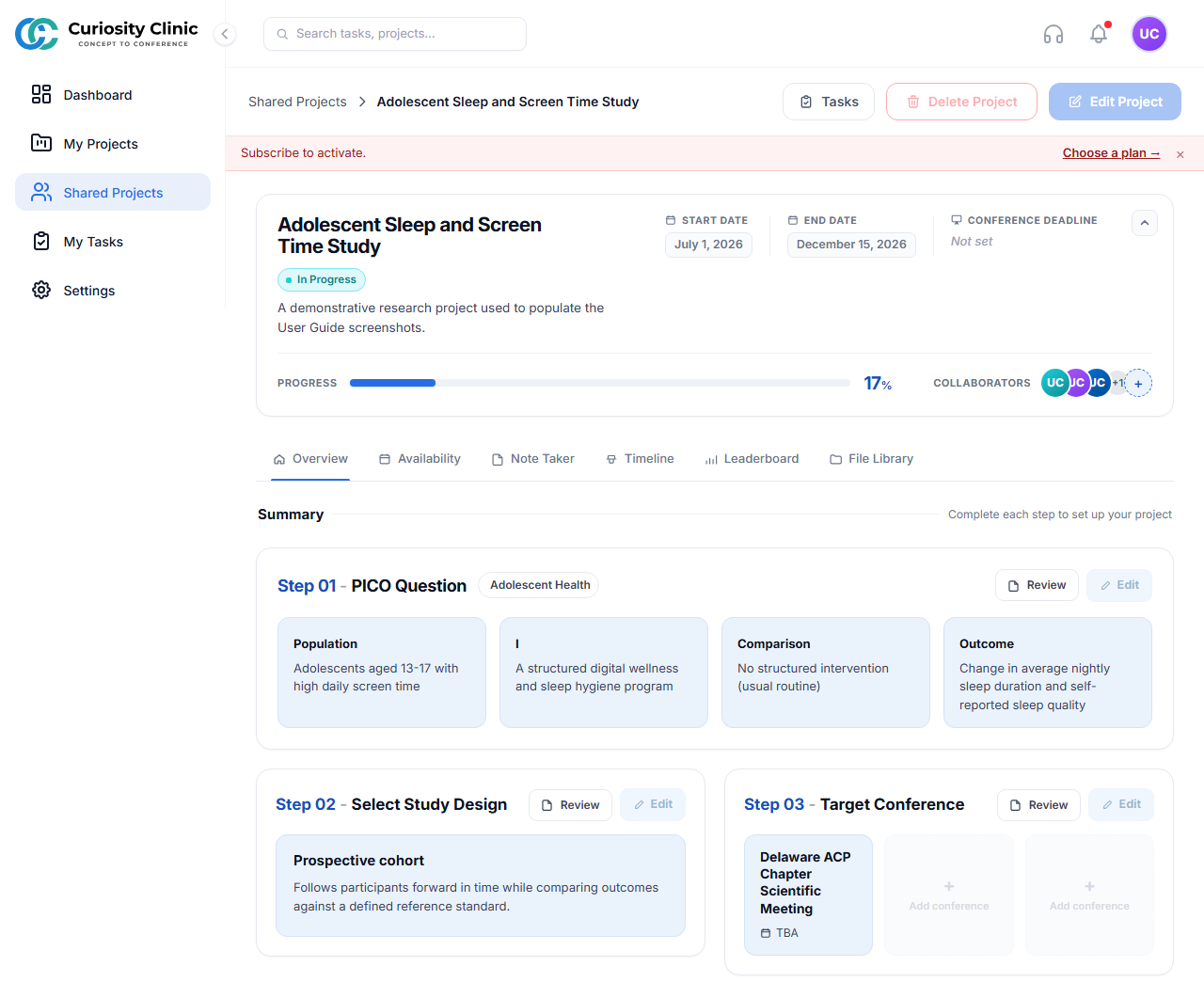 The same project as seen by a Guest: “Delete Project” / “Edit Project” are visibly muted — present but disabled, with a tooltip explaining the restriction on hover.
Admin’s task view and Member’s task view
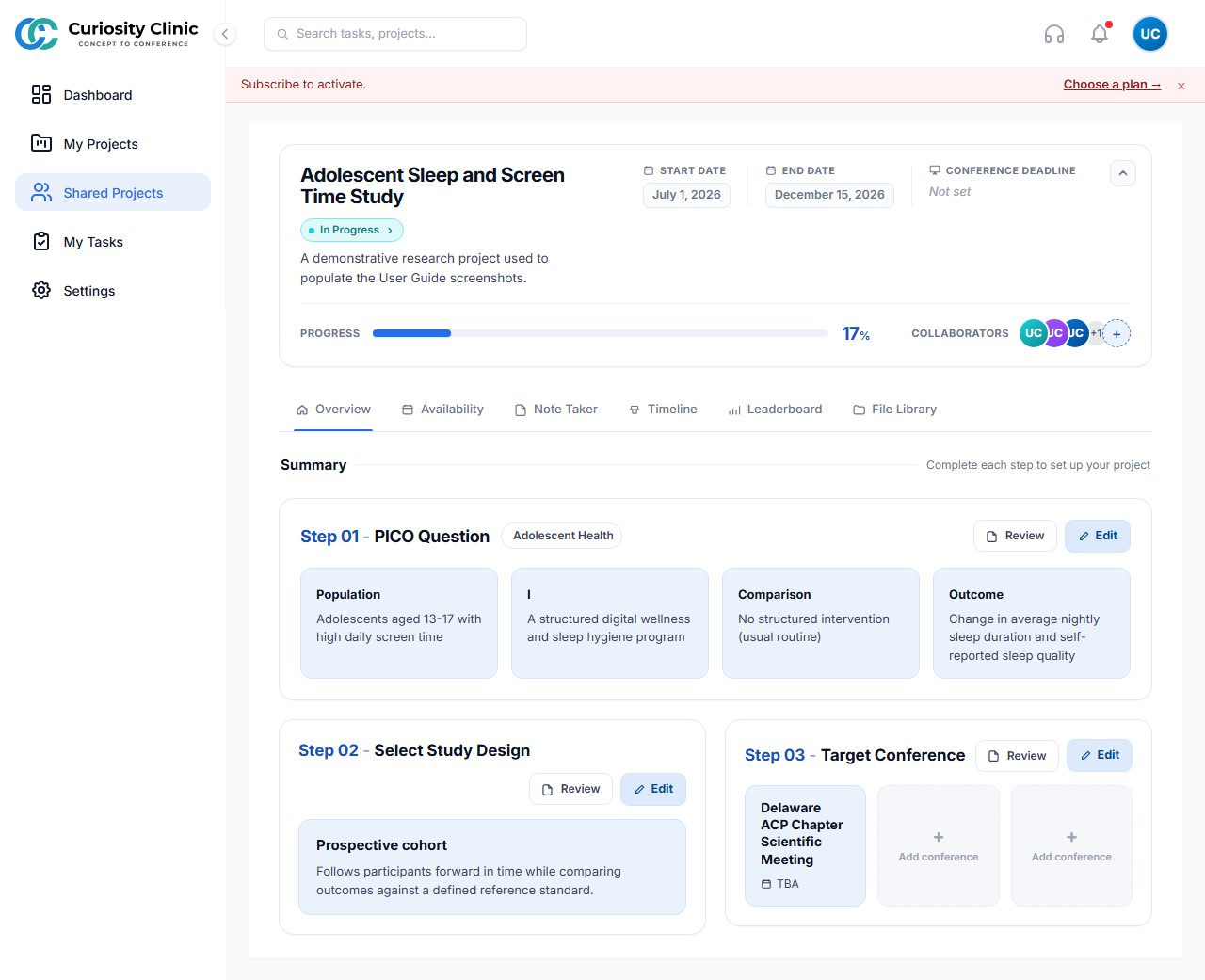
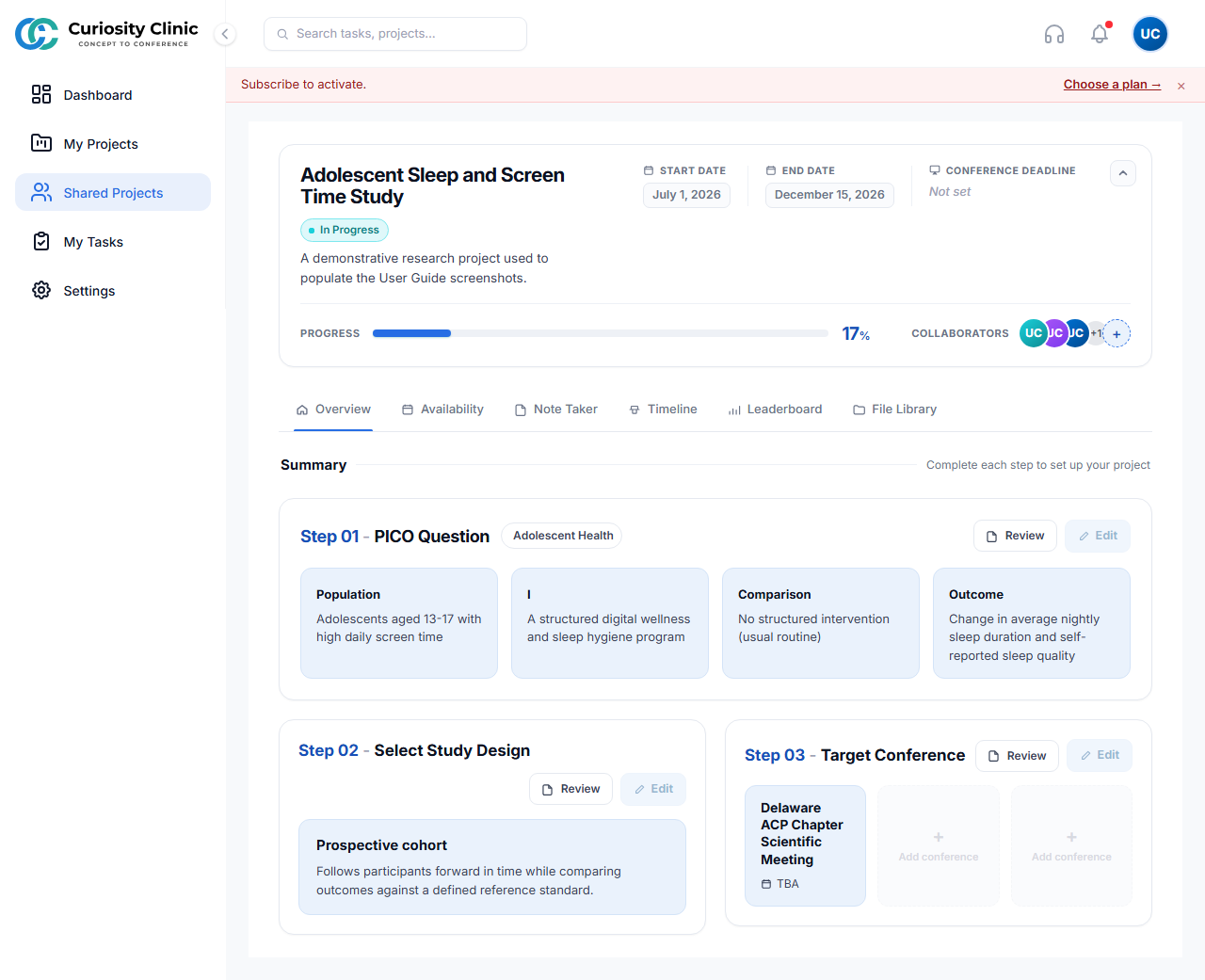
Admin and Member see the same project surfaces as the Owner, minus the Owner-only protections noted above (an Admin additionally cannot remove the Owner or promote another member to Admin).
Institution Roles
Institution accounts use a parallel four-tier role set that maps directly onto the same tenant roles above — there is no separate institution permission engine:
Institution Role |
Maps to Tenant Role |
Effective Permissions |
|---|---|---|
Owner |
Owner |
Full control, including billing and ownership transfer |
Coordinator |
Admin |
Can manage projects and invite Members/Guests, cannot manage billing or Admin-level assignments |
Mentor |
Member |
Standard contributor |
Trainee |
Guest |
Read-mostly, per the Guest restrictions above |
An Institution account additionally completes Institution Setup (/institution/setup) before reaching its dashboard, and its Owner has access to Institution-specific settings (institution profile, institution plan/billing) layered on top of the same project/task experience documented in Projects.
Institution Setup
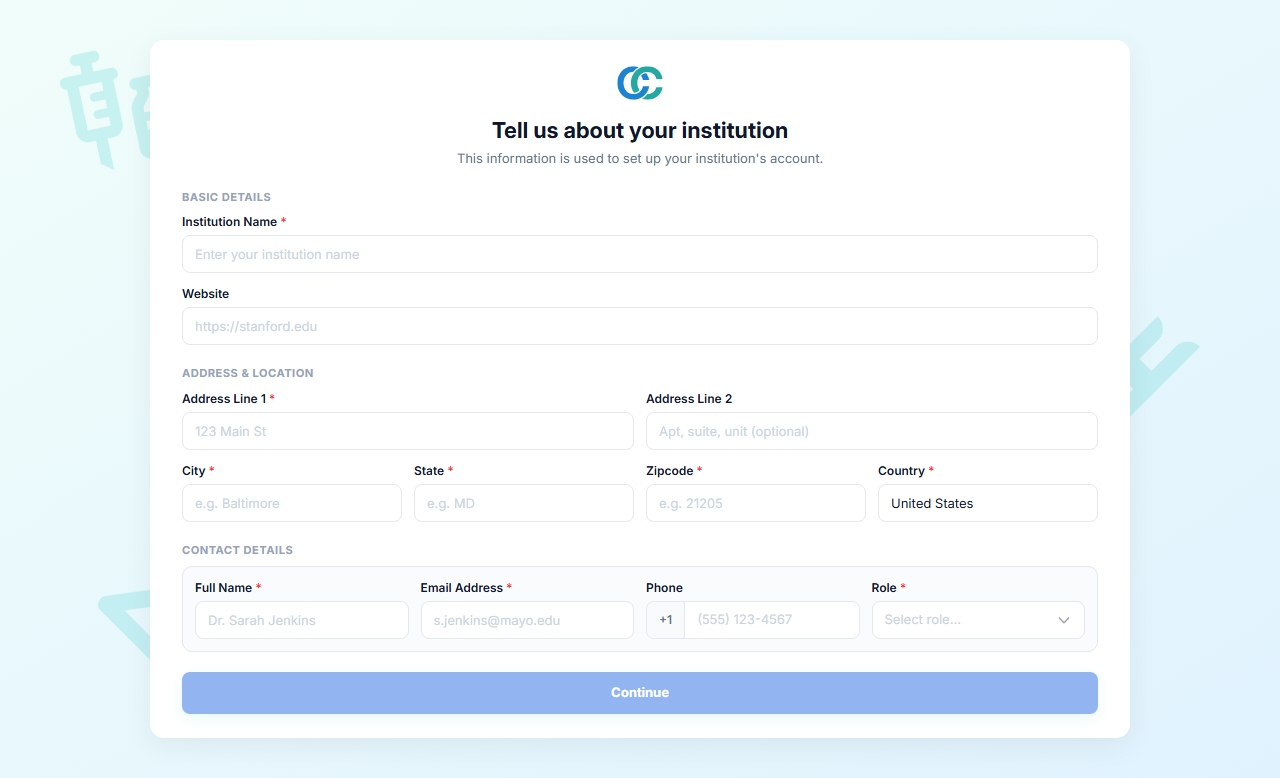 Institution accounts complete this step before reaching their dashboard.